
Instagram & TikTok Image Grid Maker
Create Instagram grids, carousel slides, TikTok photo posts, and social media image packs from one image. Upload your image, choose a layout, preview the result, and download ready-to-post files in seconds.
Your image is processed locally in your browser whenever possible.
Social Grid & Carousel Maker
Create Instagram grids, carousel slides, Stories, Reel covers, and TikTok photo posts from one image. Upload once, preview every format, and download ready-to-post ZIP packs.
Drop, paste, or click to upload
JPG, PNG, WebP, HEIC, AVIF, GIF first frame. Up to 30 images and 50MB per file.

What Is Image Grid ?
ImageGrid is a browser-based tool for splitting, resizing, and exporting images for social media. Use it to create profile grids, carousel slides, vertical posts, covers, and campaign packs from one upload.
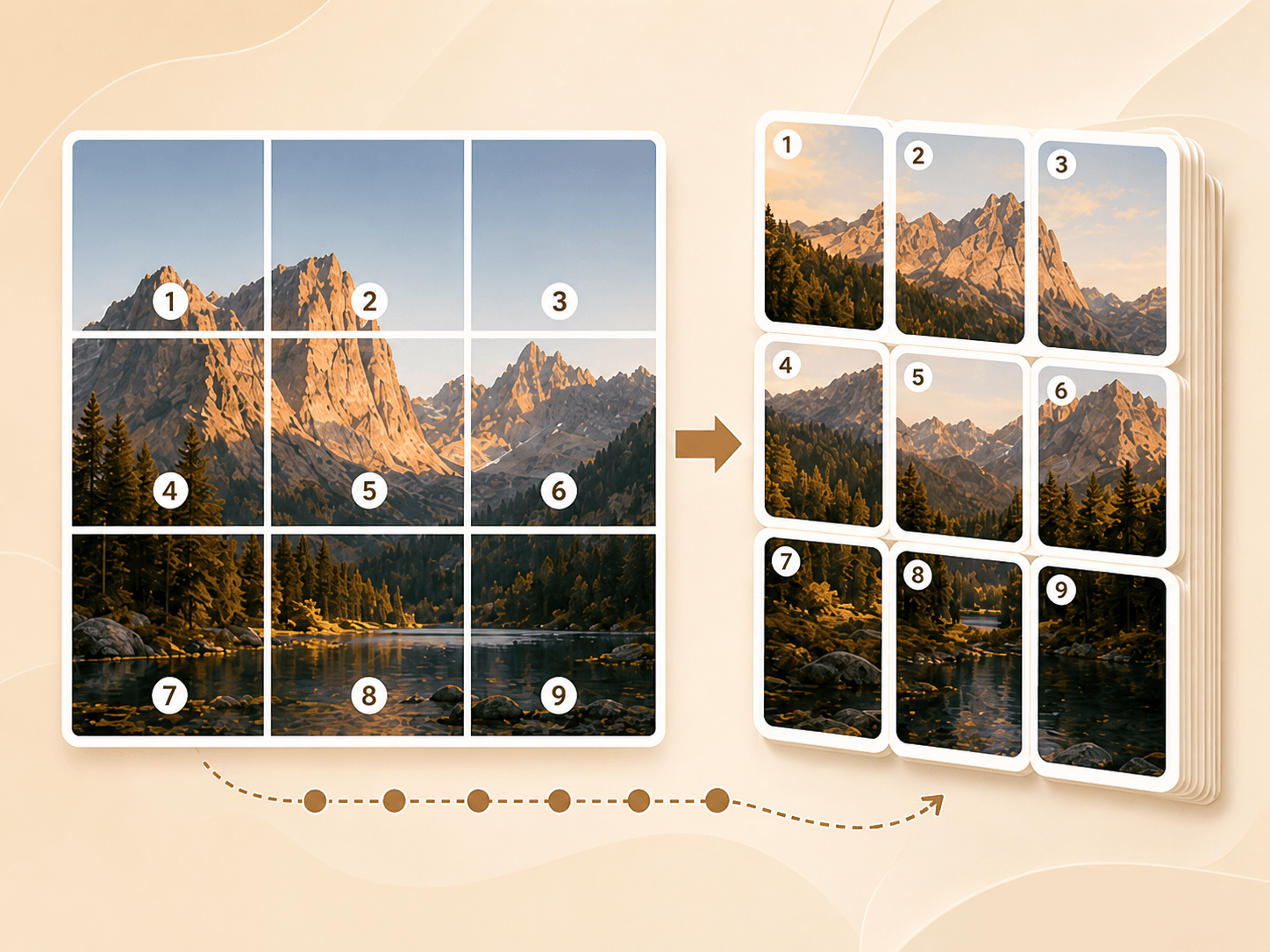
- Create profile gridsSplit one image into numbered tiles for Instagram-style profile grids, puzzle feeds, and campaign layouts.
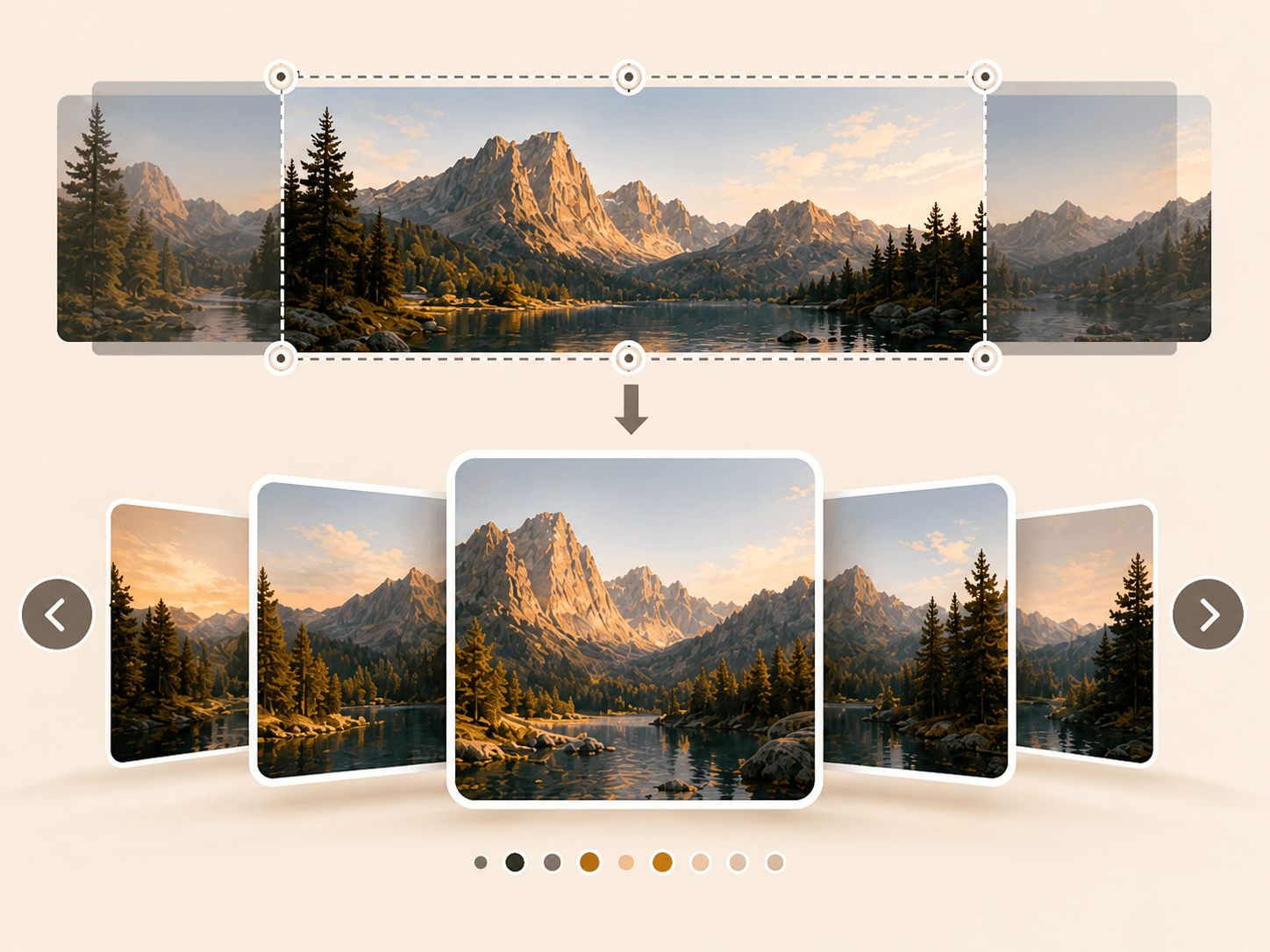
- Make carousel slidesTurn one visual into swipeable slides for tutorials, product showcases, infographics, and social posts.
- Export vertical posts and coversCreate 9:16 images for Stories, TikTok photo posts, covers, and other full-screen mobile formats.
Why Use ImageGrid?
Different social platforms need different sizes, layouts, and posting rules. ImageGrid keeps the workflow simple with one editor and multiple export formats.
How to Use Image Grid
Make an Instagram grid, Instagram carousel, TikTok photo set, image splitter export, or resized social media asset in a few steps.
What Image Grid Includes
Everything needed for practical social media image creation, from profile grids to carousel slides, TikTok image posts, image splitter layouts, and resize presets.
Profile grid exports
Create 3-column profile grids in 3×1, 3×2, 3×3, 3×4, 3×5, 3×6, or custom row layouts.
Carousel slide maker
Split one image into swipeable slides for Instagram Feed posts, tutorials, product showcases, and visual campaigns.
Vertical image creator
Create 9:16 images for Instagram Stories, Reel covers, TikTok Photo Mode, TikTok covers, and mobile-first content.
Custom image splitter
Choose your own rows, columns, tile size, and export order for flexible image splitting workflows.
Multiple aspect ratios
Export images in 1:1, 4:5, 3:4, 9:16, 16:9, 1.91:1, or custom dimensions.
ZIP export and file guides
Download complete ZIP packages, keep files organized, and include posting guidance for grid and multi-image exports.
Built for Social Image Workflows
A browser-based Image Grid Maker for Instagram, TikTok, image splitter tasks, and quick social media resizing.
10
Core tool types
Grid, carousel, TikTok, resizer, and more
Multi
Export styles
Single image, split files, or ZIP packages
Local
Privacy model
Runs in your browser
Frequently Asked Questions About Image Grid
Answers about Instagram Grid Maker exports, Instagram Carousel Maker slides, TikTok Photo Mode Maker files, image splitter layouts, sizes, privacy, and posting order.
What is ImageGrid?
ImageGrid is a free online image grid maker and social media image splitter. It helps you create Instagram grids, carousel slides, Stories, TikTok photo posts, covers, and campaign packs from one image.
What is an Instagram Grid Maker?
An Instagram Grid Maker splits one image into multiple tiles that can be posted to your Instagram profile. When the tiles are posted in the correct order, they appear as one larger image on your profile grid.
What order should I post Instagram grid images?
Post the exported files from 01 to the last number in order. ImageGrid automatically numbers the files so the final profile grid appears correctly.
Why are Instagram grid images exported in reverse order?
Instagram shows newer posts first on your profile. To make a profile grid appear correctly, the bottom-right tile usually needs to be posted first. ImageGrid handles this order automatically.
What is the difference between an Instagram grid and an Instagram carousel?
An Instagram grid is made from multiple separate posts that appear together on your profile. An Instagram carousel is one Feed post with multiple swipeable images.
What size should I use for an Instagram grid?
For a classic Instagram profile grid, use 1080×1080 tiles. You can also use portrait-style presets such as 1080×1350 or 1080×1440 depending on your layout.
Can I make Instagram carousel slides?
Yes. Use the Instagram Carousel Maker to split one image into multiple swipeable Feed slides. You can choose ratios like 4:5, 1:1, 3:4, or landscape.
Can I make TikTok photo slides?
Yes. Use TikTok Photo Mode Maker to create vertical 9:16 slides for TikTok photo posts, slideshow-style content, tutorials, and product showcases.
Can I export Instagram and TikTok images together?
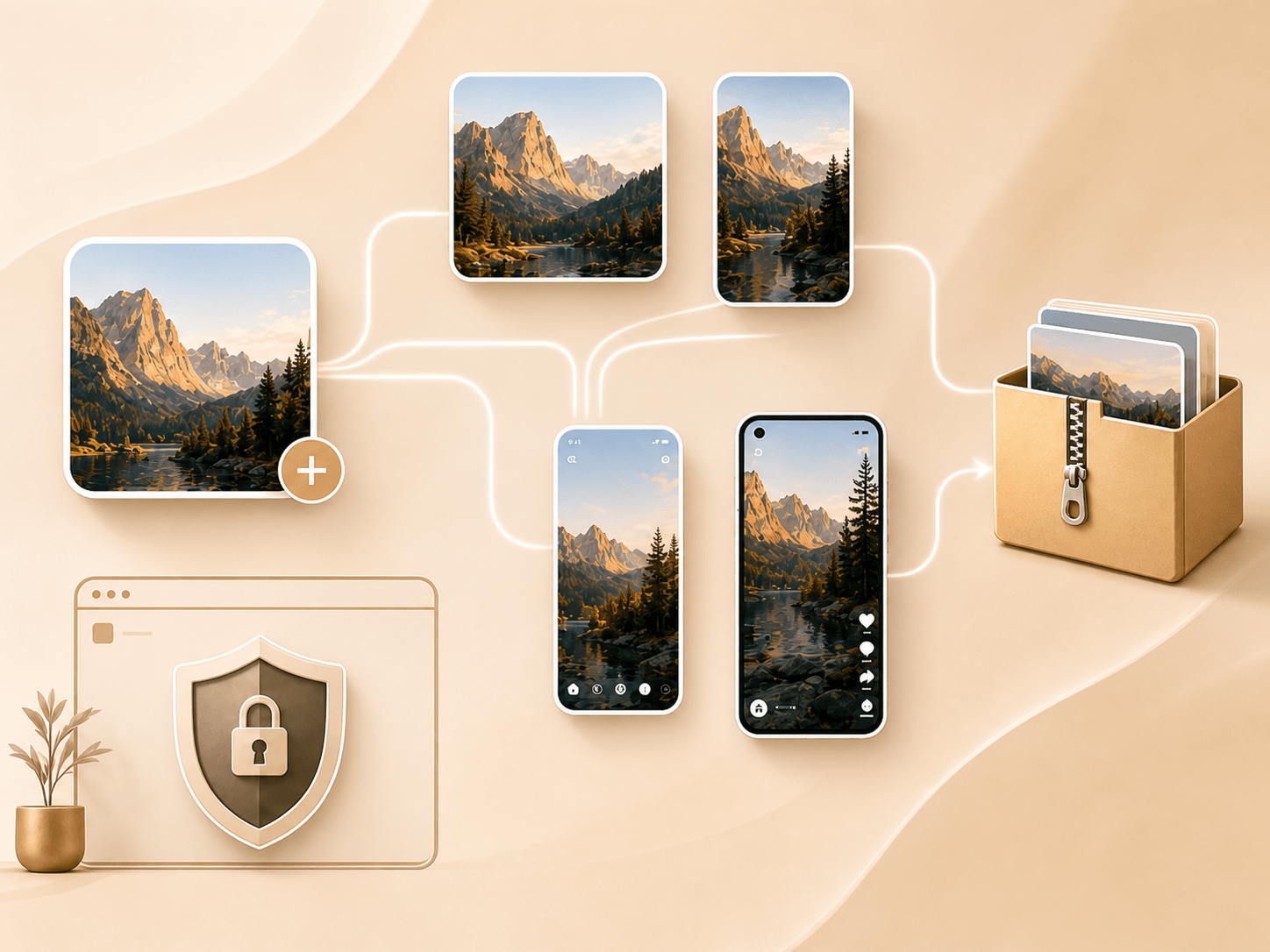
Yes. Campaign Pack mode lets you generate multiple Instagram, TikTok, and social media image formats from one upload and download everything in one ZIP file.
Is this also an image splitter?
Yes. The custom image splitter lets you choose your own rows, columns, tile size, and export order for flexible image splitting workflows.
Does ImageGrid add a watermark?
No. Exported images do not include a watermark by default.
Are my images uploaded to your server?
Images are processed locally in your browser whenever possible. This helps keep the tool fast and private.
Can I download all images as a ZIP file?
Yes. You can download individual images or export all generated files as a ZIP package with clear folders, numbered files, and posting instructions.
Is Image Grid Maker free?
Yes. The core Image Grid Maker features, including Instagram Grid Maker, Instagram Carousel Maker, image splitter exports, and ZIP download, are free to use.
Ready to Create Your Image Grid?
Upload one image and turn it into Instagram grids, carousel slides, TikTok photo posts, covers, and social media image packs.